Blog

  • How to Type Faster: 7 Habits That Actually Work

    How to Type Faster: 7 Habits That Actually Work

    You know what you want to say. The words are clear in your head. But your hands lag behind, and that gap can feel maddening. You lose your train of thought. You make more mistakes. A simple email or school assignment takes longer than it should.

    If you want to learn how to type faster, the answer is not to pound the keys harder or rush through test after test. It is to build a few steady habits that train your hands to move with less effort. The good news is that typing is a skill. Skills improve with practice, and you can start today.

    1. Stop Looking at the Keys

    This habit feels impossible at first. Looking down seems helpful because it gives you a quick sense of control. But it also keeps you stuck. Every time your eyes leave the screen, your brain has to switch tasks. That slows you down and makes it harder to build muscle memory.

    You do not need to quit cold turkey. Start small. Cover your hands with a light cloth, dim the keyboard letters, or simply promise yourself that you will keep your eyes on the screen for one minute at a time. You will miss keys. That is normal. The point is not to be perfect right away. The point is to teach your fingers where to go without asking your eyes for help.

    When you practice this way, your typing may get worse before it gets better. That can be frustrating, but it is also a sign that you are learning a new pattern. Stay with it. A few uncomfortable sessions now can save you months of slow progress later.

    2. Learn the Home Row Properly

    The home row is the base of good typing. Your fingers rest on A, S, D, F and J, K, L, ;. From there, each finger has a job. This setup may seem strict, but it gives your hands a map. Without that map, your fingers wander and you waste motion on almost every word.

    If you skipped this step when you first learned to type, go back and fix it now. It is worth it. Spend a few minutes each day placing your fingers correctly before you begin. Use guided drills that teach finger placement in order. The free lessons page is a good place to start if you want a simple path.

    Do not think of home row as a beginner trick. Think of it as your reset button. When your hands feel lost, come back to that position and begin again.

    3. Put Accuracy Before Speed

    Many people try to type faster by pushing speed first. That usually backfires. When you rush, you practice mistakes. Then those mistakes become habits. It is much harder to unlearn bad patterns than to build good ones from the start.

    A better goal is clean typing. Hit the right key with the right finger. Keep a steady pace. Let speed grow from control. This is one of the biggest shifts in learning how to type faster. Speed follows accuracy, not the other way around.

    If you are taking timed tests, do not judge yourself only by words per minute. Look at your errors too. A lower speed with fewer mistakes is often a stronger practice session than a fast run full of corrections. Clean reps build confidence. Confidence helps you relax. Relaxed hands move faster.

    4. Practice a Little Every Day

    Long weekend sessions can feel productive, but short daily practice usually works better. Your brain and muscles learn through repetition. Ten or fifteen minutes a day gives you more chances to reinforce the right movement pattern.

    This also makes practice easier to stick with. A short session fits into real life. You can do it before school, during a lunch break, or after dinner. The goal is to make typing part of your routine, not a big event you keep putting off.

    If you need structure, use the practice page and set a small daily target. Keep it simple. Show up. Even on days when you feel slow, you are still building the habit that leads to lasting improvement.

    5. Use Real Sentences

    Random letters have a place when you are learning key positions, but they should not be your only method. Real typing happens in words, sentences, and ideas. When you practice with normal language, you train your eyes, hands, and brain to work together in a more useful way.

    Real sentences also help with rhythm. You start to feel common letter patterns and word shapes. That matters because fluent typing is not just about single keys. It is about moving smoothly from one key to the next.

    If plain drills bore you, mix in short games that still make you type real words. The games section can help you stay engaged without turning practice into a chore.

    6. Warm Up Before Timed Tests

    Jumping straight into a timed test can make you feel slower than you really are. Your fingers may feel stiff. Your focus may still be scattered. A short warm-up helps you settle in before the clock starts.

    Try two or three minutes of easy typing first. Use simple words, short sentences, or a basic lesson you already know well. Focus on relaxed shoulders, light key presses, and steady breathing. This tells your body that it is time to work.

    Think of it the same way you would think about stretching before exercise. You are not wasting time. You are preparing to do better work. If timed tests make you nervous, a warm-up can also calm that pressure and help you type more naturally.

    7. Track Your Progress

    Progress can be hard to notice when you see yourself every day. You may feel stuck even while you are improving. That is why tracking matters. It gives you proof that your effort is working.

    Keep a simple log. Write down the date, your practice time, your accuracy, and your speed. You do not need anything fancy. A notebook or note app is enough. Over time, you will start to see patterns. Maybe your accuracy is climbing. Maybe your speed is better after a warm-up. Maybe short daily sessions are helping more than you expected.

    This is also one of the best ways to stay motivated when learning how to type faster. When you can see improvement on paper, it is easier to keep going through the awkward stage.

    Keep Going

    If typing has felt slow or frustrating, that does not mean you are bad at it. It means you are still learning. Faster typing is not a talent that some people get and others do not. It is a learnable skill built through small, repeatable habits.

    Start with one habit today. Keep your eyes on the screen. Reset to home row. Slow down enough to type accurately. Then build from there. If you want a clear first step, begin with a free lesson and give your hands a better system to follow.

  • My Teacher Told Me to Try TypeMaster 202 and It Changed the Way I See School

    My Teacher Told Me to Try TypeMaster 202 and It Changed the Way I See School

    My name is Calvin

    Before this year I thought typing was just something adults did in offices. I did not think it had anything to do with me. At school I was the kid who had ideas faster than my hands could keep up. When we had to type assignments in class, everybody else seemed to move across the keyboard like they knew a secret I had missed. I would stare down at the keys, hunt for every letter, and feel my face get hot when I saw other students finishing before me.

    I am not a kid who gives up easy, but typing made me feel small. I knew the answers in class. I knew what I wanted to say. I just could not get the words onto the screen fast enough. By the time I found the letters, the sentence in my head was gone or the class had already moved on. It was frustrating in a way that is hard to explain unless you have felt your own thoughts getting stuck between your brain and your fingers.

    One afternoon my teacher noticed I was falling behind during a writing activity. She did not embarrass me in front of anybody. She came by my desk, looked at my screen, and said quietly, Calvin, I want you to try something when you get home. Go to TypeMaster202.com. I think it could really help you. I nodded, but honestly I did not expect much. I thought it would be another boring school website with drills that made me feel worse about what I could not do.

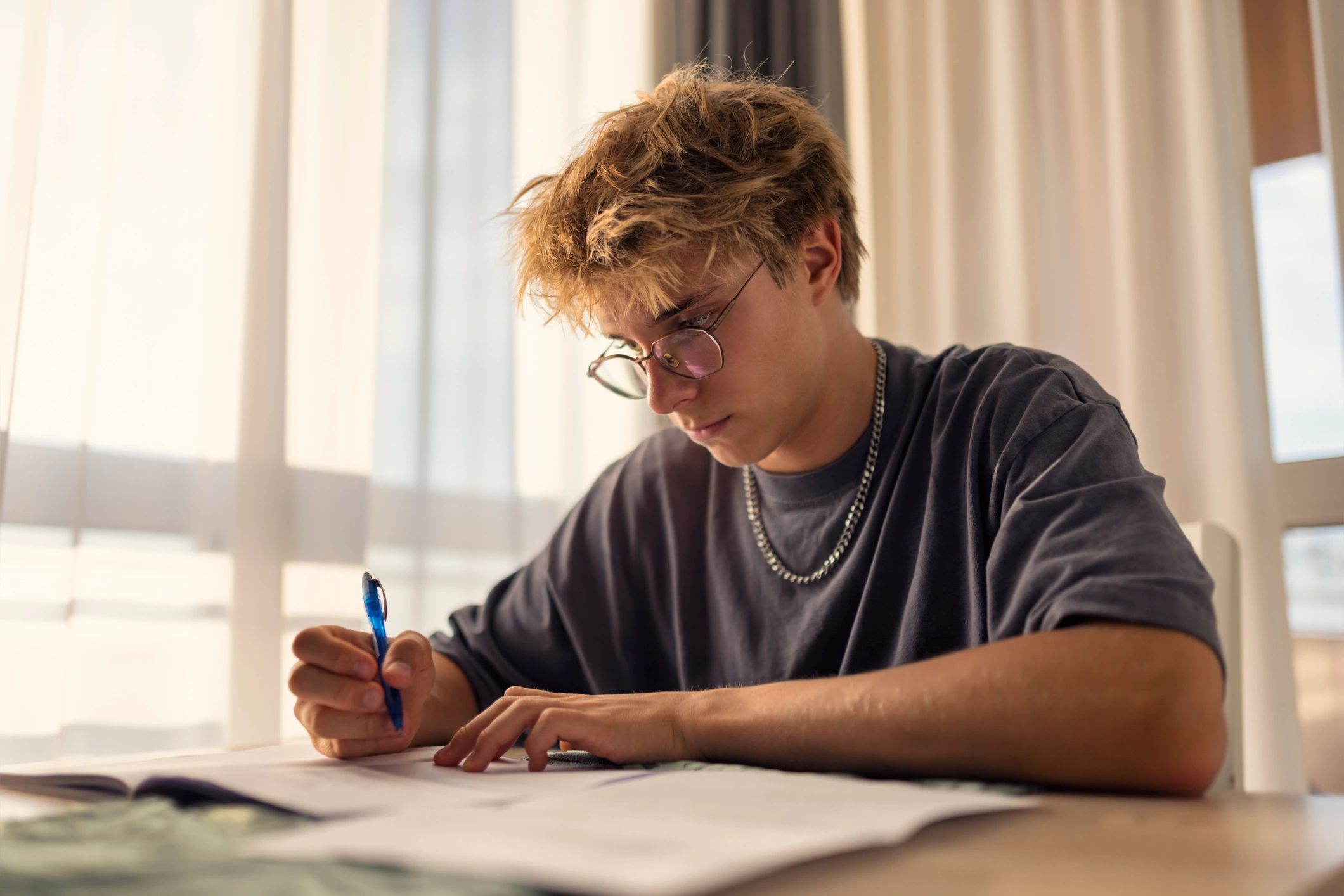
    Black boy student learning to type on a laptop at a desk

              Photo for illustration only — stock image, not the person interviewed.

    That night I opened the site at the kitchen table. My mom was washing dishes and my little brother was making noise in the living room, but once I started the first lesson I tuned everything out. The lessons were simple, clear, and not mean about mistakes. That mattered to me more than I expected. Every time I got something right, I felt a little spark. Every time I got something wrong, I could just try again. No one was laughing. No one was rushing me. It was just me, the keyboard, and a chance to get better.

    I started practicing every day after school. Some days it was fifteen minutes. Some days it was longer because I wanted to beat my last score. At first the progress was slow. My fingers felt stiff and confused. I had to remind myself not to look down all the time. But then something changed. The keys started feeling familiar. My hands began to remember where to go before my eyes did. I stopped hunting for every letter. I started trusting myself.

    The first time I finished a classroom writing assignment before the timer ran out, I almost could not believe it. I looked around like maybe I had made a mistake. But I had not. I had finished it on my own, and I had finished it on time. My teacher smiled when she saw me hit submit. It was not a huge moment to anybody else in the room, but to me it felt enormous. It felt like a door opening.

    Typing did more than help me move faster. It changed how I felt about myself at school. I started raising my hand more. I stopped dreading computer assignments. I even started working on my own stories at home because now I could keep up with my imagination. That might be the best part of all. I do not feel stuck anymore.

    If you are a student like me and you feel smart in your head but slow at the keyboard, do not let that convince you that you are behind forever. Sometimes you do not need less potential. You just need practice and the right place to begin. My teacher pointed me to TypeMaster 202, and I am glad she did. It helped me find confidence one lesson at a time.

  • Why Typing Faster Still Matters in 2026

    Typing is a modern life skill

    Typing is no longer a niche office skill. It is part of how students complete assignments, how professionals communicate, how job seekers apply for roles, and how everyday learners stay confident online. At TypeMaster 202, we believe keyboard confidence opens doors because faster, more accurate typing saves time, reduces frustration, and helps people focus on ideas instead of keys.

    Our platform was built to make typing practice feel approachable and rewarding. Whether you are just learning home-row basics, returning to the keyboard after years away, or trying to improve your speed for work, free lessons, games, and practice tests can help you build momentum one session at a time.

    Who benefits from better typing

    • Students can complete schoolwork more efficiently and spend more time thinking critically instead of hunting for keys.
    • Teachers can support digital readiness with a practical skill that improves classroom productivity.
    • Professionals can write emails, reports, and messages with greater speed and confidence.
    • Seniors can feel more comfortable using technology to stay connected and independent.
    • Job seekers can strengthen a skill that supports applications, assessments, and workplace readiness.

    How to improve without overwhelm

    The best typing progress usually comes from short, consistent practice. Start with accuracy before speed. Focus on proper finger placement, repeat common key patterns, and track your results over time. Small improvements add up quickly when practice is clear and measurable.

    Better typing is not about racing. It is about building control, confidence, and consistency.

    If you want a simple place to begin, explore our free lessons, test your skills regularly, and use games to keep practice engaging. A few focused minutes each day can make a meaningful difference over the course of a month.

    Start building keyboard confidence

    TypeMaster 202 is designed for learners at every stage who want practical progress without barriers. If you are ready to type with more speed, accuracy, and ease, start with our free resources and build a skill that supports school, work, and everyday life.

  • Best Typing Lessons for Kids: Why TypeMaster 202 Became Our Homeschool Favorite

    Typemaster202 as Homework

    I have been homeschooling my three children for six years. Best Typing Lessons for Kids

    In that time I have tried more curricula, programs, apps, and educational tools than I can count. Some were expensive and disappointing. Some were cheap and surprisingly wonderful. Some worked beautifully for one child and completely missed another. Homeschooling three different learners with three different personalities and three different learning styles means constantly evaluating what is working and what needs to change. Best Typing Lessons for Kids

    TypeMaster 202 is one of the few tools I have ever used that worked for all three of my children at the same time. In six years of homeschooling that almost never happens.

    Three Children, Three Learning Styles

    My oldest is Caleb. He is fifteen and everything with Caleb is a competition. He does not do anything halfway and he does not accept losing, not to his siblings, not to himself, not to anyone. When I introduced TypeMaster 202 he was typing 31 words per minute and he treated that number like a personal insult. Within a week he was on the site every spare moment he had, obsessively working through practice tests and checking his score. Three months later he was at 67 words per minute and announcing his progress at the dinner table like he had won a championship. For Caleb, TypeMaster 202 was a competition he could win. That was all he needed. Online typing classes for kids

    My middle child is Destiny. She is twelve and she is my careful one, the child who reads instructions before starting anything and wants to understand why she is learning something before she commits to learning it. When I told her we were adding typing practice to our school day she asked me a very Destiny question. She said, why does typing matter if I can just talk to my phone? I told her that there are rooms in her future, college classrooms, job interviews, professional environments, where talking to her phone is not an option. That she would need to take notes, write essays, send emails, and communicate in writing at speeds that matched the pace of the world around her. She thought about it for a moment and then said okay. And then she sat down and started Lesson 1 with the same methodical patience she brings to everything. Destiny is now at 48 words per minute and rising. She tracks her own progress in a little notebook she keeps next to the computer. Typing Lessons for Kids

    My youngest is Eli. He is eight years old and he learned to read eighteen months ago and still considers it a miracle every time letters become words become sentences. For Eli, TypeMaster 202 is pure magic. The falling letters in Key Catcher. The games that make every correct keystroke feel like an achievement. He does not care about words per minute yet. He cares about the sound the game makes when he gets a letter right. He cares about beating his big brother’s score in Key Catcher even though Caleb is seven years older. For Eli, learning to type feels like playing. And because it feels like playing he does it voluntarily, enthusiastically, and joyfully every single day.

    Why Typing Belongs in Homeschool

    Three children. Three completely different approaches to learning. One tool that reached all three of them exactly where they were. Typing Lessons for Kids

    As a homeschool parent I spend a lot of time thinking about what I want my children to carry with them when they leave my classroom and enter the world. I want them to read voraciously and think critically and communicate clearly and treat other people with kindness and dignity. Those are the big ones.

    But typing, practical, unglamorous, essential typing, is the skill I wish I had introduced from the very beginning. Because everything my children want to do with their lives will require them to communicate in writing. Every college application. Every professional email. Every creative project they put into the world. Every relationship they maintain across distance. All of it travels through a keyboard.

    TypeMaster 202 is free. It is safe. It is engaging enough for an eight year old and challenging enough for a fifteen year old who refuses to accept anything less than his personal best. It requires no subscription, no download, and no complicated setup. You open a browser, go to typemaster202.com, and start. Learn typing for kids

    I added it to our curriculum fourteen months ago. It is the one addition I have never once questioned or reconsidered.

    If you are a homeschool parent and typing is not in your curriculum yet, it needs to be. Start today. Your children will thank you for it someday even if they do not thank you for it right now. Typing Program for Kids

    Caleb definitely will not thank me. He will just quietly keep practicing until he hits 80 words per minute. And honestly that is thanks enough.

  • Typemaster 202, Changed my Life

    Typemaster 202, Changed my Life

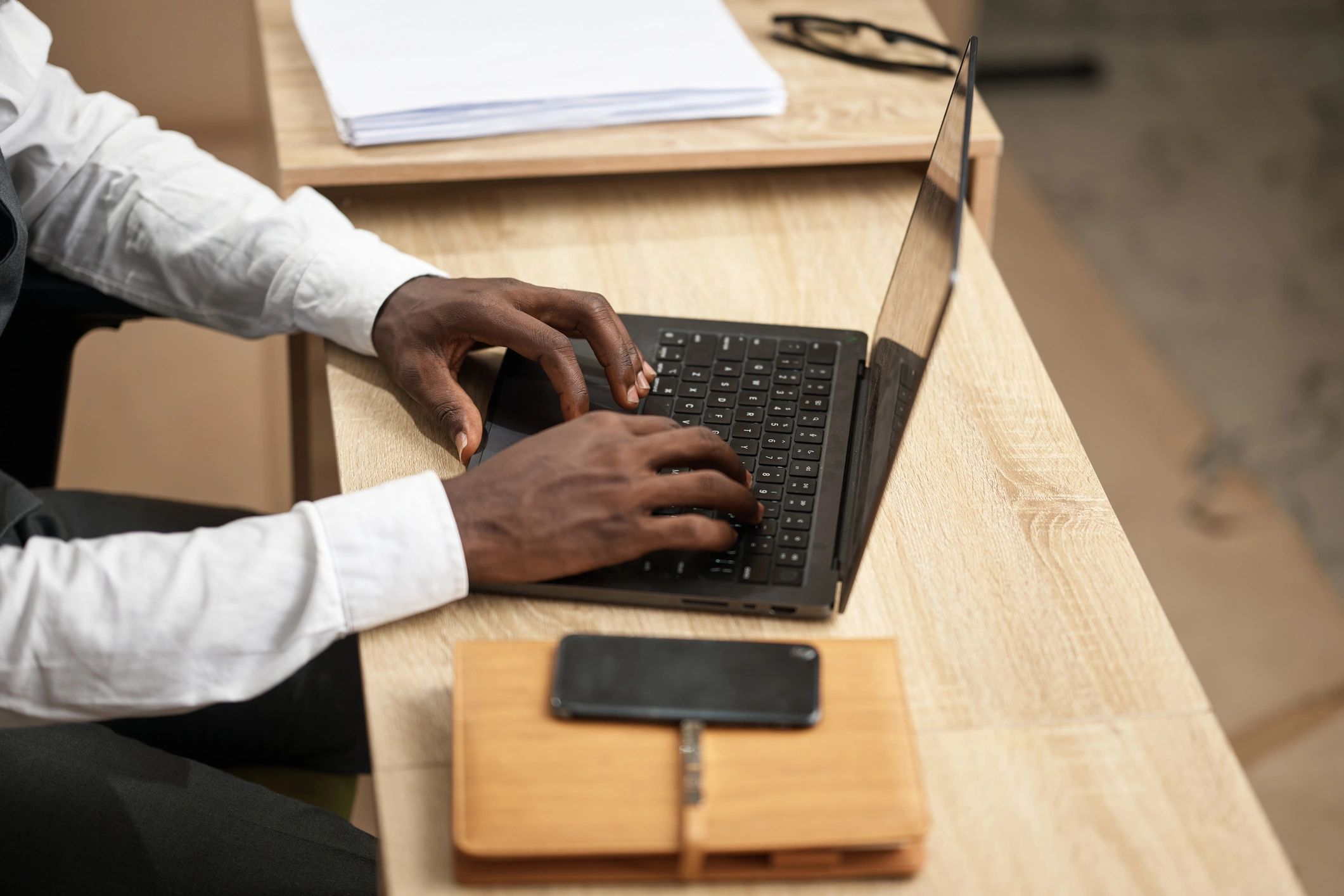
    Focused Businessman Typing on Laptop at Desk With Smartphone and Notebook in Modern Office

    By Steven Blakenship

    I had been out of work for four months when my sister sat me down and told me something I did not want to hear.

    She had been watching me apply for jobs, get called back for interviews, and then not get hired. Over and over. She had looked at my resume and it was solid. My experience was real. My references were strong. So she asked me something nobody else had thought to ask.

    She said — have they been giving you typing tests? I said yes. She said how do you think you are doing on them. I said I thought I was doing fine.

    She pulled up my typing speed on a free online test. I was typing 29 words per minute with 84 percent accuracy.

    The minimum for every office position I had been applying for was 40 words per minute with 90 percent accuracy. I had been disqualifying myself before the interview even ended and I had no idea.

    My name is Darnell. I am 41 years old and I had spent fifteen years in restaurant management before my employer closed all locations and let the entire staff go. I was good at my job. I knew how to run a kitchen, manage inventory, lead a team, handle difficult customers, and keep a business running under pressure. But I had never needed to type quickly. Everything in restaurant management is verbal, physical, and immediate. Nobody cares how fast you type when the dinner rush hits.

    Transitioning to office work was harder than I expected and the typing gap was the wall I kept running into without knowing it.

    After my sister showed me my score I went home that night and found TypeMaster 202. I took the practice test first so I knew exactly what I was working with. 29 words per minute. 84 percent accuracy. That was my starting point and I wrote it down so I would never forget where I began.

    I practiced every single day. Morning and evening. Sometimes during lunch. I worked through the structured lessons in order — home row first, then building outward key by key, then moving to full word practice and sentence drills. I used the timed practice tests every three days to track my progress and see where I was improving and where I still needed work.

    The hardest part was not the practicing. The hardest part was the mental game. At 41 years old learning something new feels different than it did at 21. Your hands have habits. Your brain has patterns. Retraining both at the same time while also dealing with the stress and financial pressure of unemployment required a kind of discipline I did not know I still had in me.

    But I kept going. Every day. Even when progress felt slow. Even when I had a bad practice session where my accuracy dropped instead of improving. Even on the days when I wanted to quit and go back to applying for restaurant jobs just because it felt more familiar and less humbling.

    Six weeks in I hit 45 words per minute with 93 percent accuracy. I cried. Actually sat at my kitchen table and cried because I knew what that number meant. It meant the wall was gone.

    I updated my resume to include my typing speed and applied for three office positions that week. All three called me back. I passed the typing assessment on every single one.

    I accepted a position as an administrative coordinator at a healthcare company sixty two days after my sister showed me my original score. The salary is better than my restaurant management salary. The benefits include health insurance for my kids for the first time in four months. And I type every single day at my desk with a speed and accuracy I earned one practice session at a time.

    If you are unemployed and wondering why you keep getting passed over — get your typing tested today. Go to typemaster202.com and take the free practice test right now. If your score is below 40 words per minute you have found your answer. And you have found your solution in the same place.

    Sixty days. That is all it took to change everything.

  • Free Typing Practice for Seniors: How I Learned to Email My Granddaughter Every Day

    Free Typing Practice for Seniors: How I Learned to Email My Granddaughter Every Day

    Photo for illustration only — stock image, not the person interviewed.

    Nobody warned me that retirement could feel so quiet.

    I had spent more than three decades as a teacher. My days were full of noise, questions, papers to grade, bells ringing, and children calling my name from every corner of the classroom. Then one year I packed up my desk, hugged my coworkers goodbye, and walked into a new season of life that was supposed to feel restful. In many ways it did. But it also felt lonely in ways I had not expected.

    My granddaughter noticed before I said anything. She is young, observant, and far too smart to let me pretend everything was fine when it was not. One afternoon she came over with her laptop, sat down beside me at the kitchen table, and asked why I never answered her emails. I laughed and told her the truth. It took me so long to type that by the time I finished a message I was too frustrated to send it.

    She looked at me with the kind of confidence only a child can have and said, “Grandma, I know exactly what you need.” Then she introduced me to TypeMaster 202.

    I had never thought much about typing as a life skill. When I was teaching, I wrote lesson plans by hand for years before schools moved everything online. I could manage a keyboard well enough to get by, but I was slow. Very slow. I pecked at the keys, searched for punctuation, and made so many mistakes that writing even a short email felt exhausting. I told myself I was too old to change. My granddaughter did not agree.

    She sat with me and helped me start with the beginner lessons. Home row first. Then simple words. Then short practice sessions that did not feel overwhelming. She showed me the games and laughed every time I got competitive about beating my own score. For the first time in years, learning something new felt playful instead of intimidating.

    What surprised me most was how quickly I improved. I practiced for fifteen or twenty minutes a day. Some days I did a lesson. Some days I took a timed practice test. Some days I just played one of the typing games because it kept me engaged. Within a few weeks I was typing faster and making fewer mistakes. Within a couple of months I was writing full emails without stopping every few seconds to hunt for the right key.

    And now I email my granddaughter every single day.

    Sometimes I send her a long note about what I planted in the garden. Sometimes I tell her stories about the students I taught years ago. Sometimes I just write, “I love you and I hope you have a beautiful day.” The point is not that the emails are perfect. The point is that I can send them at all, easily and confidently, without feeling embarrassed by how long it takes me.

    Typing did more than help me communicate with my granddaughter. It gave me back a sense of independence. I can email friends, respond to messages from my church group, and keep up with family updates without asking anyone for help. I can write my thoughts down while they are still fresh in my mind. I can participate in the digital world instead of standing outside it, watching everyone else move faster than I can.

    If you are a senior and you feel left behind by technology, I want you to hear this from someone who understands. It is not too late. You are not too old. You do not have to become a computer expert overnight. Sometimes one small skill changes everything, and for me that skill was typing.

    TypeMaster 202 made that change possible. It was free, simple to use, and patient with me in the way good teachers always are. I spent my whole life helping other people learn. I never expected that in retirement I would become the student again. But I am grateful I did.

    If someone you love has been encouraging you to get more comfortable on a computer, start here. Take one lesson. Take one practice test. Send one email until everyday you get better and better.

    You may discover, like I did, that a keyboard can open much more than a screen. It can open connection, confidence, and a whole new way to stay close to the people you love most.

    Visit typemaster202.com and start with one free lesson today.

  • I Am Nurse Greogory and Slow Typing Was Costing My Patients Precious Time

    A nurse shares how improving typing speed with TypeMaster 202 helped reduce charting delays, improve confidence, and protect precious patient care time during every shift.

    I am a nurse, and for a long time I thought my biggest professional challenges would always be the obvious ones. Long shifts. Emotional exhaustion. Constant interruptions. High stakes decisions. The pressure of caring for people when every second matters.

    What I did not expect was that one of the most frustrating problems in my workday would be typing.

    My name is Gregory. I work in a fast paced clinical environment where documentation is not optional and accuracy is everything. Every medication update, every patient note, every handoff detail, every discharge instruction has to be entered clearly and quickly. When you are slow at typing, those small delays stack up. And in healthcare, stacked up delays can steal time from the people who need you most.

    That was exactly what was happening to me.

    At the end of every shift I was still finishing charting while other nurses were wrapping up. I stayed late more often than I wanted to admit. During busy stretches I felt the stress build every time I had to stop and enter notes because I knew it would take me longer than it should. I was not struggling because I did not know what to say. I was struggling because I could not get the information into the system fast enough.

    And the worst part was what that delay represented. Every extra minute spent fighting the keyboard was a minute I could have spent checking on a patient, answering a family question, helping a coworker, or simply staying more present on the floor.

    I finally admitted that this was not a small issue. It was affecting my workflow, my confidence, and the quality of my day. So I started looking for a practical way to improve, and that is when I found TypeMaster 202.

    I liked it immediately because it was simple, free, and built for real progress. I did not need anything flashy. I needed a way to get faster and more accurate without wasting time. I started with short daily sessions. Fifteen minutes before work on some days. Twenty minutes after dinner on others. I focused on accuracy first, then speed, just like the lessons recommended.

    Within a few weeks I noticed the difference. My hands were moving with less hesitation. I was no longer hunting for keys or second guessing common patterns. My charting became smoother. My notes became faster to complete. I felt calmer when the unit got busy because I trusted myself to keep up with the documentation side of the job.

    That change mattered more than I can explain. Nursing is full of tasks that compete for your attention. You cannot remove the pressure completely, but you can remove unnecessary friction. Better typing did that for me. It gave me back minutes during every shift, and those minutes mattered. They belonged to my patients, not to my keyboard.

    If you work in healthcare, you already know that documentation is part of patient care. Clear and timely notes support communication, reduce mistakes, and help the whole team function better. Typing is not just an office skill in this environment. It is part of how we do our jobs well.

    TypeMaster 202 helped me build that skill in a way that felt realistic and sustainable. The practice tests showed me where I was starting. The lessons helped me improve the fundamentals. The repetition built confidence. And because it was free, I could stay consistent without adding another expense to my life.

    If slow typing is making your work harder than it needs to be, do not ignore it. Whether you are a nurse, a medical assistant, a receptionist, or any professional who spends part of the day documenting information, this is a skill worth improving.

    Go to TypeMaster 202 and take a practice test. Find your baseline. Give yourself a few weeks of steady practice. You may be surprised by how much easier your work feels when your fingers finally move at the speed your job demands.

    That is what happened for me. I am still Gregory. I am still a nurse. The job is still demanding. But now I spend less time fighting the keyboard and more time where I belong with my patients.

    Your time matters. Your patients matter. And improving your typing may give more of that time back.

    Start Free Today

    Visit TypeMaster 202 lessons, take a practice test, and start building the speed and accuracy your profession demands.

  • How Typing Skills Changed My Life as a First-Generation College Student

    How Typing Skills Changed My Life as a First-Generation College Student

    Typing Skills For a first generation college student, every assignment can feel like more than an assignment. It can feel like proof that you belong, proof that you can succeed, and proof that all the sacrifices your family made to help you get there were worth it. That is why small academic skills often become much bigger than they seem. One of those skills for me was Typing Skills for College Students.

    When I started college, I thought typing was just something people either knew how to do or did not. I had never taken it seriously. I could get by, but getting by is very different from being prepared. In high school I could type slowly, look down at the keyboard, and still finish most assignments eventually. In college, eventually was not good enough.

    Everything moved faster. Notes had to be taken quickly. Essays had to be drafted under pressure. Online discussion boards, research papers, scholarship applications, and emails to professors all demanded speed and accuracy. I was spending so much mental energy hunting for keys that I had less energy left for the actual ideas I wanted to express. It was frustrating because I knew what I wanted to say, but my fingers could not keep up with my mind.

    That changed when I started practicing with free typing lessons and games. Little by little, I stopped staring at the keyboard. My hands began to remember where the letters were. My speed improved, but even more importantly my confidence improved. I could take lecture notes without panicking. I could finish written assignments faster. I could apply for internships and part time jobs without feeling embarrassed by how slowly I typed.Typing Skills for College Students

    Typing did not just help me save time. It helped me feel capable. As a first generation student, there are already so many moments where you feel like everyone else understands the system better than you do. Building a practical skill like typing gave me one less thing to worry about. It made college feel more manageable and helped me focus on learning instead of struggling with the keyboard.

    That is why TypeMaster 202 matters. It gives students a free way to build a skill that supports almost every part of academic and professional life. Better typing means faster essays, smoother note taking, stronger performance on online assignments, and more confidence in every digital space that school requires. Typing Skills for College Students

    If you are a student who feels behind, overwhelmed, or unsure where to start, begin with your keyboard. It may seem like a small step, but it can change the way you work, the way you learn, and the way you see yourself. For me, typing became more than a skill. It became part of how I found my footing in college.

    Start practicing today at TypeMaster 202 and give your hands the speed your goals deserve. Typing Skills for College Students

  • Free Typing Lessons for Job Seekers – Improve Your Typing Speed & Get Hired Faster

    You’ve updated your resume, prepared for interviews, and applied for countless jobs. But one essential skill can still hold you back—typing speed and accuracy. Many employers value strong typing skills, computer skills, and fast WPM for office, remote, customer service, and data entry jobs. Improve your performance with free typing lessons and boost your confidence to stand out in today’s competitive job market.

    Typing speed.

    In today’s workplace almost every job involves a computer. Data entry. Email communication. Report writing. Customer service platforms. Project management tools. And most employers — whether they test for it formally or simply observe it during the interview process — have a minimum expectation for how fast and accurately a candidate can free typing lessons.

    That expectation is usually around 40 words per minute with at least 90 percent accuracy.

    If you are typing below that threshold TypeMaster 202 can help you close that gap — for free — before your next interview.

    Why Typing Speed Matters More Than Most Job Seekers Realize

    Kenny had been a warehouse supervisor for nine years when the company he worked for restructured and his position was eliminated. He was 34 years old, experienced, hardworking, and completely unprepared for one reality of the office jobs he was now applying for. free typing lessons

    He typed with two fingers.

    In the warehouse that had never mattered. On a warehouse floor you move things, manage people, and solve physical problems. At a desk you type. And Kenny typed slowly, painfully, and with the kind of visible discomfort that made him embarrassed to type in front of anyone during interviews or skills assessments.

    He found TypeMaster 202 and started practicing on his lunch breaks and after work every evening. Six weeks later his typing speed had more than doubled. But more importantly his confidence had changed. He stopped dreading the typing assessment. He stopped feeling embarrassed to type in front of interviewers. He walked into his next interview feeling prepared in a way he never had before. typing lessons

    He got the job.

    What Employers Are Actually Testing For

    Different industries have different typing requirements but here is a general guide to what most employers expect:

    • General office positions typically require 40 to 50 words per minute.
    • Administrative assistants and executive assistants are usually expected to type 50 to 70 words per minute.
    • Data entry positions often require 60 words per minute or higher with very high accuracy.
    • Customer service roles that involve live chat support typically require at least 40 words per minute.
    • Legal and medical transcription positions can require 80 words per minute or higher.

    Many employers include a typing test as part of their formal application or interview process. Some use third party platforms that generate a score and send it directly to the hiring manager. Others simply observe how you type during the interview itself.

    Either way your typing speed and accuracy are being evaluated. And the time to prepare for that evaluation is before the interview — not during it.

    How TypeMaster 202 Helps Job Seekers Specifically

    TypeMaster 202 offers everything a job seeker needs to prepare for workplace typing requirements — completely free. free typing lessons

    Our timed practice tests simulate the exact format used in most employment typing assessments. You type for a set period, receive a words per minute score and an accuracy percentage, and can immediately identify where you need to improve.

    Our structured lessons target the specific areas most adults struggle with — common word patterns, punctuation and special characters, and building the kind of smooth consistent rhythm that employers recognize as professional typing ability.

    And our games keep the practice engaging enough that you will actually stick with it long enough to see real improvement — which is the one thing that makes all the difference. Free Typing Lessons for Job Seekers

    A Practical Training Plan for Job Seekers

    If you have an interview coming up in the next four to six weeks here is exactly how to use TypeMaster 202 to prepare:

    • Week one — take a practice test to establish your baseline. Know your starting point. Do not be discouraged by the number. It is just information.
    • Week one and two — work through the structured lessons every day for fifteen to twenty minutes. Focus on accuracy first. Speed will come naturally as accuracy improves.
    • Week two and three — add the timed practice tests back in. Do one test per day and track your progress. You should see measurable improvement within two weeks of consistent practice.
    • Week four and beyond — maintain your practice and add the free typing games for additional speed building. By week four most consistent users see a significant increase in their words per minute score.

    Your Career Deserves Every Advantage

    You have worked hard to build your experience and your skills. You deserve every possible advantage in your job search.

    TypeMaster 202 is one of those advantages — and it will not cost you a single dollar.

    Go to typemaster202.com today. Take your first practice test. See where you are starting from. And then let us help you get exactly where you need to be.

    Your next employer is waiting. And your fingers are ready to impress them. Free typing lessons for job seekers

  • What Is TypeMaster 202 and How Does It Work — Everything You Need to Know

    What Is TypeMaster 202

    If you landed on this page you are probably wondering — what exactly is TypeMaster 202 and is it actually worth my time?

    That is a fair question. The internet is full of typing websites that promise a lot and deliver very little. So let us be completely straightforward with you about what TypeMaster 202 is, who it is for, how it works, and why it is different from everything else out there.

    TypeMaster 202 is a free online typing education platform built to help people of all ages master their keyboard skills through structured lessons, engaging games, and timed practice tests.

    It was built because too many people are being held back in school, at work, and in everyday life simply because they never learned to type with confidence. Students lose points on timed assignments. Professionals lose hours every week hunting for keys. Seniors feel disconnected from a digital world that keeps moving faster. Job seekers get passed over for positions that require basic computer skills.

    TypeMaster 202 exists to change that. For everyone. For free.

    Who Is TypeMaster 202 For

    TypeMaster 202 was designed to serve a wide range of learners including elementary and middle school students building foundational keyboard skills, high school students preparing for timed typing tests and standardized exams, college students who need to write faster and more efficiently, teachers looking for a free classroom tool that actually engages students, working professionals who want to save time and type with more confidence at work, job seekers who need to meet typing speed requirements for employment, seniors and older adults who want to feel more comfortable and capable in the digital world, and parents who want a safe, free, and educational screen time option for their children.

    If you have ever wished you could type faster, more accurately, or with more confidence — TypeMaster 202 was built for you.

    How TypeMaster 202 Works

    TypeMaster 202 is built around three core tools that work together to build complete keyboard mastery.

    The first tool is structured lessons. Our lessons start at the very beginning with home row basics and progress logically through every key on the keyboard. Each lesson focuses on a specific set of keys, builds on the lesson before it, and gives you immediate feedback on your accuracy and speed. You can work through lessons at your own pace — there is no timer pressure in beginner lessons and no judgment for starting slow.

    The second tool is typing games. Learning through play is one of the most effective ways to build any skill — and TypeMaster 202 takes that seriously. Our Type or Survivor game puts your typing skills to the test in a survival challenge that is genuinely fun and genuinely educational at the same time. Students who would never voluntarily practice typing drills will play Type or Survivor for thirty or forty minutes without realizing they are building real keyboard skills.

    The third tool is timed practice tests. When you are ready to measure your progress our timed practice tests show you exactly how many words per minute you type and how accurate you are. You can track your improvement over time, set personal goals, and prepare for the kind of timed typing tests used in schools and workplaces.

    Is TypeMaster 202 Really Free

    Yes. Completely and entirely free. No subscription. No credit card. No premium tier that locks the good stuff behind a paywall. Every lesson, every game, and every practice test is available to every user at no cost.

    TypeMaster 202 was built on the belief that access to quality education should never depend on how much money someone has. Typing skills are life skills — and life skills should be available to everyone.

    How to Get Started

    Getting started with TypeMaster 202 takes less than sixty seconds.

    Open your browser and go to typemaster202.com. No download required. No account creation required to begin. Just arrive and start typing.

    If you are a complete beginner start with Lesson 1 and work through the lessons in order. If you already have some typing experience take a practice test first to see where you are starting from and then use the results to choose which lessons will help you most.

    If you just want to have fun start with the games and let the learning happen naturally.

    However you choose to begin — TypeMaster 202 will meet you exactly where you are and take you exactly where you want to go.

    Welcome. Your keyboard journey starts right here.

    Level UP Academy with TypeMaster 202
  • Free Typing Test Practice for Seniors — It Is Never Too Late to Master Your Keyboard

    Free Typing Test Practice for Seniors — It Is Never Too Late to Master Your Keyboard

    Photo for illustration only — stock image, not the person interviewed.

    It Is Never Too Late

    If you have spent most of your life avoiding the keyboard — hunting and pecking your way through emails, squinting at keys, and feeling a little embarrassed every time someone watches you type — this is for you. Free Typing Test

    You are not behind. You are not too old. And you are absolutely not alone.

    Millions of adults over 60 never learned to type properly because when they were growing up typing was a specialized skill taught only to secretaries and office workers. Computers were not everywhere. Keyboards were not a daily necessity.

    But the digital world has only grown since then. Video calls with grandchildren. Email with doctors and insurance companies. Social media to stay connected with friends and family. Online banking. Online shopping. Online everything.

    And every single one of those things is easier — more confident, more enjoyable, and less frustrating — when you can type without having to think about where every letter lives.

    That is exactly what TypeMaster 202 is here to help you do.

    Why Seniors Keep Going

    There is something remarkable about an adult who decides at 60 or 70 or even 80 years old that they are going to learn something new. It takes courage. It takes patience. And it takes the kind of quiet determination that only comes from a life fully lived.

    At TypeMaster 202 we have watched seniors go from complete beginners — free typing with one finger, looking down at the keyboard after every single letter — to confident everyday typists who can write a full email without hunting for a single key.

    One of our favorite stories comes from a 67 year old grandmother named Gloria whose daughter showed her TypeMaster 202 after watching her struggle to video call her grandchildren. Gloria started with the very first beginner lesson. She made mistakes. She got frustrated. She almost quit more than once free typing test.

    But she kept going. A little every day. Patient and persistent in the way that only someone who has raised children and survived decades of life knows how to be.

    Now Gloria emails her grandchildren without looking at the keyboard once. She video calls them and types in the chat while they talk. She feels included in a digital world that used to make her feel left behind.

    That is what TypeMaster 202 is for.

    Why TypeMaster 202 Helps

    TypeMaster 202 is completely free. There is no subscription, no credit card, and no complicated download process. Just open your browser, go to typemaster202.com, and begin.

    Our beginner lessons start at the very beginning — the home row keys, where your fingers naturally rest on the keyboard. We do not assume you know anything. We start from zero and build from there at whatever pace feels right for you.

    There is no timer pressure in the beginner lessons. No score that makes you feel bad. Just clear, simple instruction and immediate feedback that shows you exactly which keys you are hitting correctly and which ones need a little more practice.

    And when you are ready to challenge yourself our timed practice tests and free typing games give you a fun way to push your speed and accuracy further.

    Three Simple Tips

    First give yourself grace. Learning to type as an adult is harder than learning as a child because your brain has spent decades building habits around how you currently type. Breaking those habits takes time and repetition. That is completely normal and it does not mean anything is wrong with you. Free Typing Test

    Second practice in short sessions. Fifteen to twenty minutes every day is far more effective than one long session on the weekend. Your fingers and your brain need regular repetition to build muscle memory — and short daily sessions give them exactly that.

    Third celebrate every milestone. Going from hunting and pecking to finding your home row keys without looking is a genuine accomplishment. Going from 8 words per minute to 15 words per minute is remarkable progress. Every step forward matters and every step forward deserves to be celebrated.

    You Belong Here

    Technology should not feel like something that belongs to younger generations. The digital world belongs to everyone — including you.

    TypeMaster 202 was built for every person at every age who deserves to feel confident and capable at a keyboard. Our lessons are patient. Our games are encouraging. And our community believes that it is never — ever — too late to learn something new.

    Come exactly as you are. Start wherever you are. And let TypeMaster 202 take you the rest of the way.

    Your keyboard has been waiting for you. And we are so glad you are here. Typing Test

  • Free Typing Games for Middle School Students — Make Practice Feel Like Play

    Free Typing Games for Middle School Students — Make Practice Feel Like Play

    Photo for illustration only — stock image, not the person interviewed.

    Featured student: Marcus who represents the kind of learner that benefits from consistent and engaging typing practice. free fyping test.

    Middle school is a key typing stage

    Middle school is one of the most important times in a student’s life to learn how to type. Assignments are getting longer. Teachers are requiring more written work. And students who cannot type confidently are spending twice as long on every single assignment as the kids sitting next to them who can.

    The problem is that most typing practice feels like homework. That is exactly why TypeMaster 202 was built differently.

    At TypeMaster 202 we believe that the best way to learn to type is to make it feel less like learning and more like playing. Our free typing games for middle school students are designed to build real keyboard skills — speed, accuracy, and muscle memory — through engaging challenges that students actually want to come back to.

    Why Typing Matters More Than Ever in Middle School

    Think about everything a middle school student types in a single week. Book reports. Research papers. Discussion posts. Email responses to teachers. Group project documents. The list goes on and on.

    A student who types 15 words per minute is going to take three times longer to complete those assignments than a student typing 45 words per minute. That is not a small difference. Over the course of a school year that gap adds up to dozens of hours of extra work — hours that could have been spent studying, reading, or simply being a kid.

    More importantly typing confidence affects academic confidence. When a student struggles to get their thoughts onto the screen fast enough they lose the thread of what they were trying to say. Their writing suffers. Their grades suffer. And they start to believe they are not good at school when the real problem is simply that nobody ever taught them to type.

    What Makes TypeMaster 202 Different for Middle Schoolers

    Most typing programs feel like punishment. TypeMaster 202 feels like a game.

    Our Key Catching game puts students in the middle of a challenge where the only weapon they have is their keyboard. Type fast enough and you survive. Slow down and the consequences hit. Students who would never voluntarily practice typing drills will play for forty minutes without even realizing they are building real keyboard skills.

    Our structured lessons build on each other in a logical progression — starting with home row basics and moving through every key on the keyboard in a sequence that actually makes sense. Each lesson is short enough to complete in a single class period and measurable enough that students can see their own progress in real time.

    And our timed practice tests give students the experience of performing under pressure — exactly the kind of test environment they will face in school, on standardized tests, and eventually in the workplace.

    A Story From a Real Middle School Classroom

    Mrs. Johnson had been teaching technology classes for eleven years when she first brought her class to TypeMaster 202. She had tried other programs. Some were too expensive. Some had so many advertisements that her students spent more time closing pop ups than actually typing. Some were just too boring to hold a twelve year old’s attention for more than five minutes.

    TypeMaster 202 was different.

    Within the first week she watched her quietest student — Marcus, who had been two-finger pecking since elementary school — sit up straighter at his keyboard. He was not just practicing. He was competing against himself. Trying to beat his own score. Coming in before class to get a few more minutes of practice in.

    Three months later Marcus went from 12 words per minute to 25 words per minute. He was not the fastest in the class. But he was no longer the slowest. And that difference — that shift in how he saw himself at a keyboard — changed everything about how he showed up in every class that required him to write.

    Tips for Parents and Teachers

    If you are a parent trying to help your middle schooler build typing skills here are three things that work:

    First make it a routine not a punishment. Fifteen minutes of TypeMaster 202 before screen time or after dinner works far better than forcing an hour of practice on the weekend.

    Second let them choose which game or lesson to start with. Giving students ownership over their practice makes them more likely to stick with it.

    Third track progress together. TypeMaster 202 shows students their words per minute and accuracy after every session. Celebrate the small wins. Going from 18 WPM to 22 WPM is a big deal and it deserves to be recognized.

    If you are a teacher TypeMaster 202 works beautifully as a fifteen to thirty minute warm up activity at the start of a technology class period. Students come in, log on, and get straight to work — and by the time you are ready to begin your lesson their fingers are warmed up and their brains are focused.

    Start Free Today

    Every game, every lesson, and every practice test on TypeMaster 202 is completely free. No subscription required. No credit card. No download. Just open a browser, go to typemaster202.com, and start typing.

    Whether your student is starting from zero or trying to push their speed to the next level — TypeMaster 202 meets them exactly where they are and takes them exactly where they need to go.

    One keystroke at a time.

TypeMaster 202
   🎮 Play Free  ·  🏆 Compete Globally  ·  ⚡ Level Up Your Skills  ·  🔥 New Game Every Season  ·  💪 Type Fast Rise Up  ·  🌍 94 Countries and Counting  ·  🎯 Free Forever No Signup  ·  🚀 Start Your First Lesson Today    🎮 Play Free  ·  🏆 Compete Globally  ·  ⚡ Level Up Your Skills  ·  🔥 New Game Every Season  ·  💪 Type Fast Rise Up  ·  🌍 94 Countries and Counting  ·  🎯 Free Forever No Signup  ·  🚀 Start Your First Lesson Today
TypeMaster 202
Level Up Academy Inc
Home Lessons Practice Games Blog About Contact
Privacy Policy Terms of Service Cookie Policy
© 2026 Level Up Academy Inc — TypeMaster 202 — All Rights Reserved